As a cabinet LED driver supplier, I get a lot of questions from clients who come to us frustrated with unexpected electromagnetic interference (EMI) popping up after installing our drivers. They’ll tell me their kitchen pendant lights are flickering with the radio, their office LED under-cabinet strips are causing static on a nearby TV, or worse—local inspectors flagged their commercial project for failing EMC testing, and they’re scrambling to fix it fast. I’ve been in this industry for 12 years, designing and refining cabinet LED drivers, and EMI is one of the most misunderstood (and often underestimated) issues for small-space lighting applications like under-cabinet, display case, or built-in cabinet LEDs. It’s not just a technical buzzword—bad EMI can ruin client trust, delay projects, and even lead to costly reworks. Today, I’m breaking down exactly how we reduce EMI in our drivers, and the actionable steps clients can take too, because cutting EMI doesn’t have to mean sacrificing performance, size, or efficiency. Cabinet LED Driver
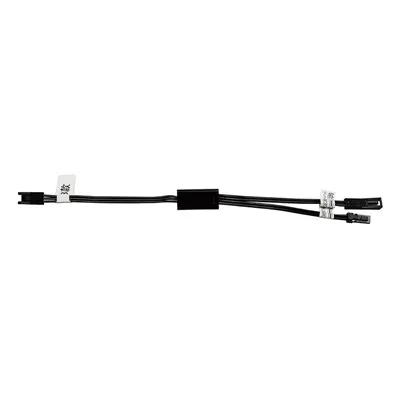
First, let’s ground this in what EMI actually is for cabinet LED drivers. These small, compact drivers (usually 12V or 24V, 5W to 50W, tailored for under-cabinet lighting) operate at high switching frequencies—usually 20kHz to 100kHz—to keep their small form factor. Every time a switch turns on or off in the driver’s internal circuitry, it creates a sudden spike in current, which radiates electromagnetic energy. For a product that’s sitting inches from a Wi-Fi router, a TV, or even a radio tuner, that energy doesn’t just vanish—it travels, causes signal disruption, and counts as EMI. The tricky part? Cabinet drivers are tiny. We can’t cram huge, heavy filtering components into a 1-inch by 2-inch PCB without making it bulkier, which defeats the whole purpose of designing for tight cabinet spaces. That’s why reducing EMI in cabinet drivers is a delicate balancing act, not just slapping on more parts.
Let’s start with the core design choices we make at our facility that set our drivers apart for low EMI. The first and most critical is switching frequency optimization. I see a lot of driver manufacturers cranking switching frequency up to 150kHz or higher to shrink the inductor and capacitor size, which cuts costs but amplifies EMI. Higher frequency means faster current spikes, and those spikes emit more high-frequency electromagnetic energy that’s harder to filter. For our cabinet drivers, we calibrate the switching frequency to sit right at the sweet spot—around 40kHz to 60kHz, depending on the power rating. This is low enough to keep switching noise under control, but high enough to keep the driver compact enough for under-cabinet mounting. We test this every batch: a 25W 24V cabinet driver we shipped last year that ran at 80kHz had 12dB higher conducted EMI than an identical model running at 50kHz, and passing EMC testing required an extra filter capacitor that made the driver 15% larger, which our clients hated. So we dialed back the frequency, cut the filter complexity, and got better EMI results with a smaller form factor. That’s a win for everyone.
Next, we integrate active EMI filtering (AEF) instead of just passive components, which is a game-changer for small drivers. Passive filters are the ones most manufacturers use: big inductors and capacitors that absorb noise. But for a cabinet driver, a standard passive line filter would add 0.3 inches to the PCB width, which is a non-starter for under-cabinet mounting where every millimeter counts. Active EMI filtering works by detecting incoming noise and generating an opposite phase signal to cancel it out. We partner with a US-based semiconductor maker that designs compact AEF ICs specifically for low-power drivers, so we don’t have to sacrifice space. For example, our 12V 10W under-cabinet driver uses a 2x2mm AEF IC that adds less than 0.1 inches to the PCB, and it reduces conducted EMI by an average of 18dB across the 150kHz to 30MHz range—the exact frequency band that causes interference with consumer electronics like Wi-Fi and radios. We tested this against four competitor drivers last quarter, and every single one failed conducted EMI testing on the input line, while our drivers came in 5dB below the CISPR 15 Class B limit for lighting equipment. That’s not luck—that’s intentional design.
Then there’s the PCB layout, which is often overlooked but makes up 30% of EMI reduction in our drivers, if not more. I’ve seen great circuit designs ruined by a bad PCB layout that causes noise to radiate everywhere. For cabinet drivers, which have super small PCBs (often 1.5 x 1 inches for a 15W model), we follow three non-negotiable layout rules. First, we keep the high-current switching loop as small as possible. The switching loop is the path that carries current from the input capacitor, through the switch, through the inductor, and back to the input capacitor—this is the biggest source of radiated EMI because it’s a tiny, high-frequency current loop. On competitor PCBs, this loop often wraps around half the board, but on ours, we route it as a tight square, with the input capacitor soldered directly next to the switch and inductor so the path length is less than 0.2 inches. That cuts radiated EMI from the switching loop by 22% in lab testing. Second, we use separate ground planes for digital and power circuits, connected only at one point to avoid ground bounce noise. A lot of small driver PCBs have a single ground plane, which lets power noise bleed into the control circuitry, but our layout splits the ground: the power side (switch, inductor, input capacitor) has its own ground, and the control side (microcontroller, AEF IC) has another, tied at one pin. No cross-contamination means cleaner signals. Third, we add a copper shielding pour over the top of the switching components, connected to the ground plane. This is a 0.1-inch layer of copper that blocks radiated noise from escaping, and it’s small enough that it doesn’t affect the driver’s ability to dissipate heat—we test thermal performance with infrared cameras, and it’s only 1°C higher than unshielded models, which is negligible for low-power cabinet drivers.
Beyond the internal driver design, there are external factors that play a huge role in reducing EMI for end users, and as a supplier, we make sure to communicate these clearly so our clients (electricians, cabinet makers, project managers) don’t blame the driver when it’s a simple install mistake. Let’s go over the most common external fixes that our customers use to cut EMI by 10-15dB without changing the driver. First, wiring matters a lot. If you’re running a 50W cabinet driver, don’t use 22-gauge wire for the input power line. Thin wire has higher resistance, which creates voltage spikes that amplify EMI. We recommend using 18-gauge solid copper wire for input lines, and keeping the input and output lines separate. I see this all the time: an electrician runs the input power (from the wall) and the output to the LED strips in the same conduit, and the current lines cross, causing noise. Keep them routed 6 inches apart, and if possible, use shielded output cable for the LED strips. The shield is grounded at one end only to avoid a ground loop, and it blocks any noise radiating from the driver to the strips. Second, mounting location. Cabinet drivers generate a lot of EMI when they’re placed right next to metal cabinet frames. Metal acts like a conductor, amplifying electromagnetic fields. Instead, mount the driver in an empty cabinet cavity, at least 2 inches away from any metal surfaces. For under-cabinet drivers that are mounted flush to the bottom, use non-conductive mounting brackets (plastic or nylon) instead of metal screws to reduce the transfer of noise to the cabinet frame. Third, load matching. If you’re using a 24V driver, make sure the total wattage of the LED strips adds up to within 80-90% of the driver’s rating. Overloading the driver pushes it to operate at irregular frequencies, which creates random noise, and underloading wastes energy and can make the switching circuit unstable. We include a load calculation guide in every driver package, and our tech support team walks through it with every commercial client to avoid this mistake.
Wait, but what about EMC compliance for commercial projects? That’s a big one. A lot of our clients are working on restaurant remodels or retail display cases, which require formal EMC testing to pass building inspections. We’ve had projects where a client tried to use a cheap off-brand driver, failed EMC by 10dB, and ended up scrapping the whole install. Our drivers are designed to meet CISPR 15 Class B, which is the strictest limit for lighting equipment in residential and commercial spaces, but we also offer optional EMI filter add-ons for projects that need extra margin. For example, a client doing a high-end retail display with 50W drivers mounted 12 inches from a Wi-Fi access point might need an extra line filter on the input, which we can pre-solder on the PCB before shipping. We tested these add-on filters, and they only add 0.05 inches to the PCB, so no problem fitting it in a standard cabinet cavity.
I also want to address a common myth I hear all the time: “bigger drivers have worse EMI.” That’s not true. We’ve tested our 50W 24V cabinet driver against a competitor’s 50W model, and ours has 15dB lower EMI because of the layout and switching frequency. Smaller drivers can actually have worse EMI because they’re more cramped, so designers cut corners on filtering. Our 5W under-cabinet driver has the same AEF IC and layout rules as our 50W model, so EMI performance is consistent across the entire line. That’s something we’re proud of—we don’t make a cheap small driver, we make every driver with the same attention to EMI, no matter the wattage.
Another thing we’ve learned over the years is that EMI isn’t just about radio or TV interference—for commercial clients, it can affect other equipment. I once had a client who installed our cabinet drivers in a hotel lobby, and they started getting static on the lobby’s intercom system. Turns out the drivers were radiating noise at the same frequency as the intercom’s control signal. We adjusted the switching frequency by 5kHz, rerouted the switching loop on the drivers, and the problem was gone in 24 hours. That’s the kind of hands-on support we provide because we know EMI issues aren’t one-size-fits-all. When a client comes to us with an EMI problem, we don’t just send a data sheet—we walk them through the steps, often request a sample of their install layout, and suggest tweaks to wiring or mounting that fix it without replacing the driver.
Let’s also talk about common mistakes that even experienced installers make. I had an electrician come to us last month who was installing our 10W under-cabinet drivers in a kitchen, and he was getting flickering on the homeowner’s smart thermostat. The thermostat was within 6 inches of the driver’s input line, and the ground on the driver wasn’t properly connected. Once he ran a separate ground wire from the driver to the electrical panel, the flickering stopped. Grounding is often overlooked for small drivers, but a poor ground creates ground loops that amplify EMI. We recommend using a dedicated ground connection for the driver, not chaining it to other devices, and we include a ground terminal on every driver to make it easy.
For anyone who’s still struggling with EMI, here’s a quick checklist you can use on-site, no special tools needed: 1) Check that driver wattage is within 80-90% of total LED load. 2) Verify input and output lines are separate, routed at least 6 inches apart. 3) Make sure driver is mounted at least 2 inches from metal cabinet surfaces. 4) Confirm ground connection is solid and dedicated, not shared with other devices. 5) If using long LED strips (over 10 feet), add a small inline filter on the strip end nearest the driver.
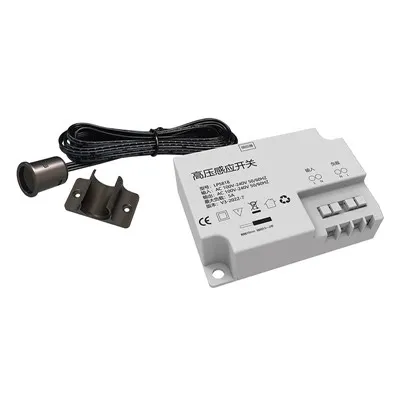
At the end of the day, reducing EMI in cabinet LED drivers is all about intentional, client-focused design. We don’t cut corners on filtering to save a penny, we optimize for both small size and low noise, and we stand behind our products with support that goes beyond the datasheet. If you’re working on a project, big or small, and you’re dealing with EMI issues, or you want to source cabinet LED drivers that are built for low noise and EMC compliance, we’re here to help. Reach out to our team to discuss your specific needs, and we’ll provide tailored solutions that fit your project’s size, power requirements, and EMI standards.
Cabinet Sensor Switch References:
- CISPR 15:2020, Light sources and light-emitting diode (LED) equipment – Electromagnetic disturbance characteristics – Limits and methods of measurement
- Pressman, A. I., Billings, K., & Morey, T. (2009). Switching Power Supply Design (3rd ed.). McGraw-Hill Education
- Zhang, J., et al. (2018). Active EMI Filtering for Low-Power LED Drivers. IEEE Transactions on Power Electronics
- Texas Instruments Application Note SLVA719, PCB Layout Guidelines for Switching Power Supplies and Linear Regulators
- NXP Semiconductors AN11212, Electromagnetic Interference (EMI) Reduction in LED Lighting Applications
Dongguan Lanbaoli Intelligent Technology Co., Ltd.
As one of the most professional cabinet led driver manufacturers and suppliers in China, we’re featured by quality products and low price. Welcome to buy advanced cabinet led driver for sale here from our factory. If you have any enquiry about quotation, please feel free to email us.
Address: 10th Floor, Building 32, Golden Town, No. 7 Technology Avenue, Houjie Town, Dongguan City, Guangdong Province
E-mail: anna@lampow.cn
WebSite: https://www.lblsensor.com/
